UNIVOICE
Multilingual Learning Platform
Project Snapshot
Role: Product Designer (UX + UI)
Product: Multilingual EdTech platform
Goal: Help students understand lectures through real-time translation + AI support
Users: Students, Teachers, Admins, Institutions
The Core Problem
Students struggle to understand lectures not in their native language
Teachers manage sessions across multiple tools (Zoom, translation apps, chat, files)
Institutions lack clear billing, usage control, and team management
The Solution I Designed
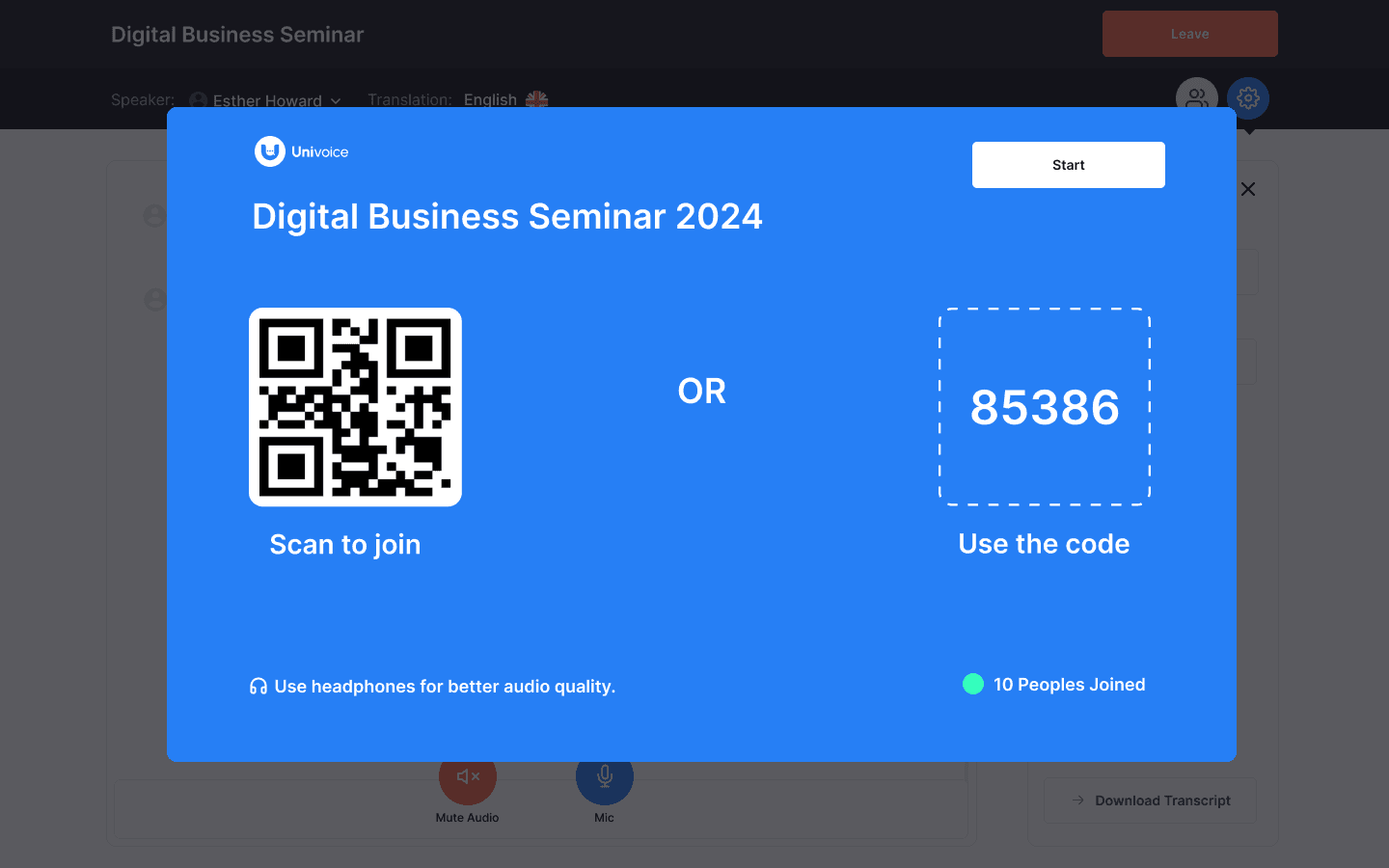
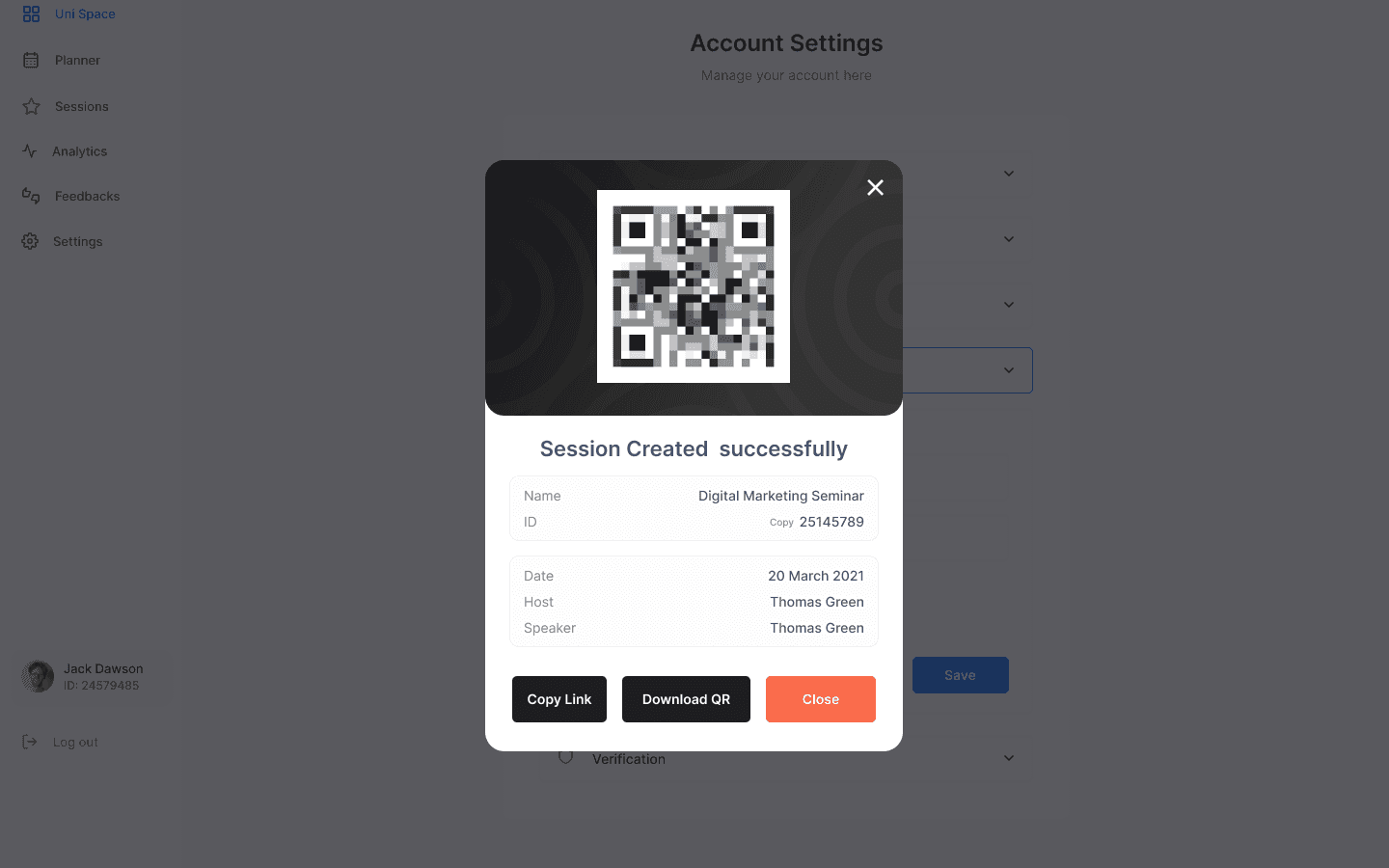
Instant join flow: QR code + class code
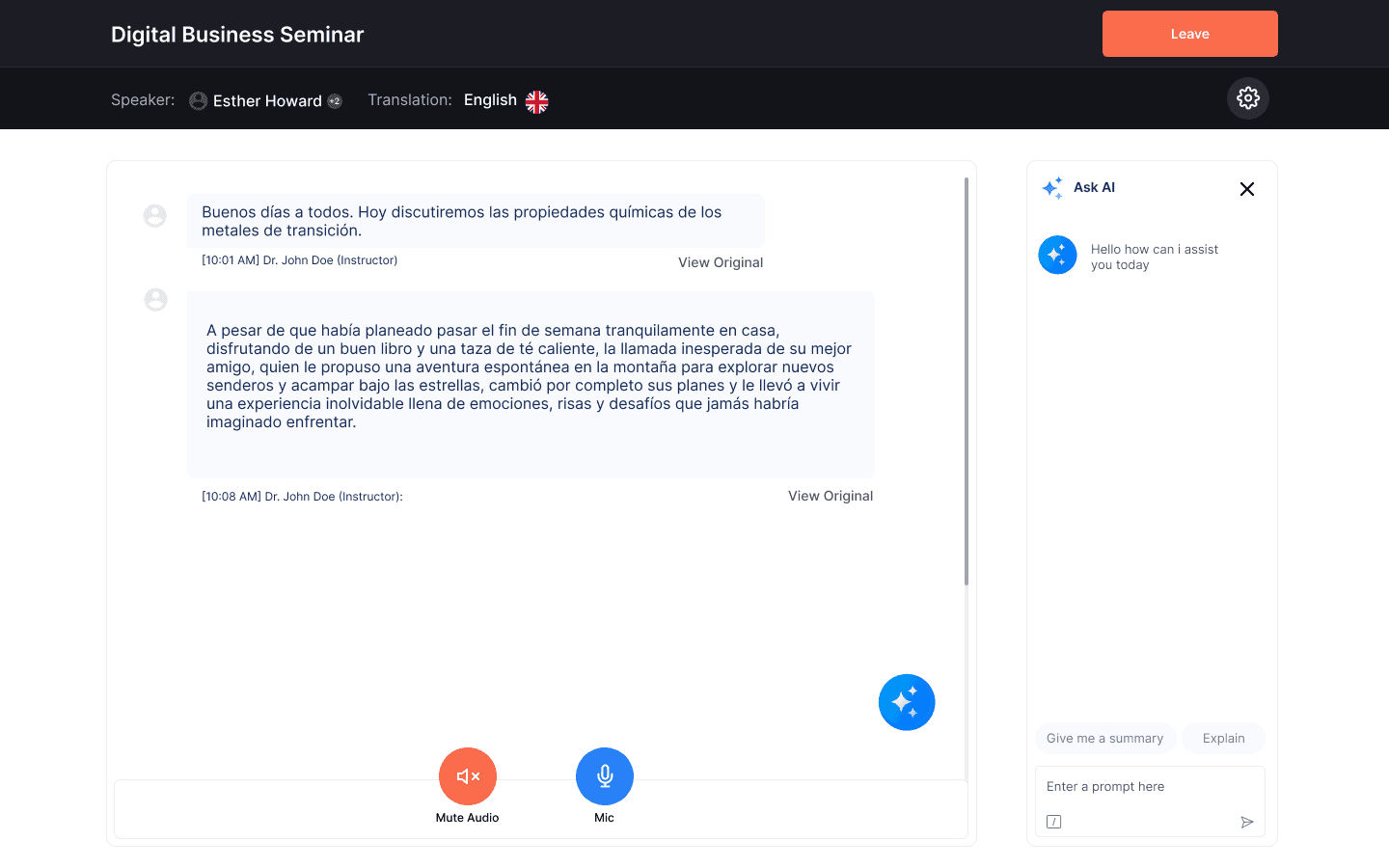
Live translated transcripts with View Original toggle
AI assistant panel: Summaries, explanations, clarifications
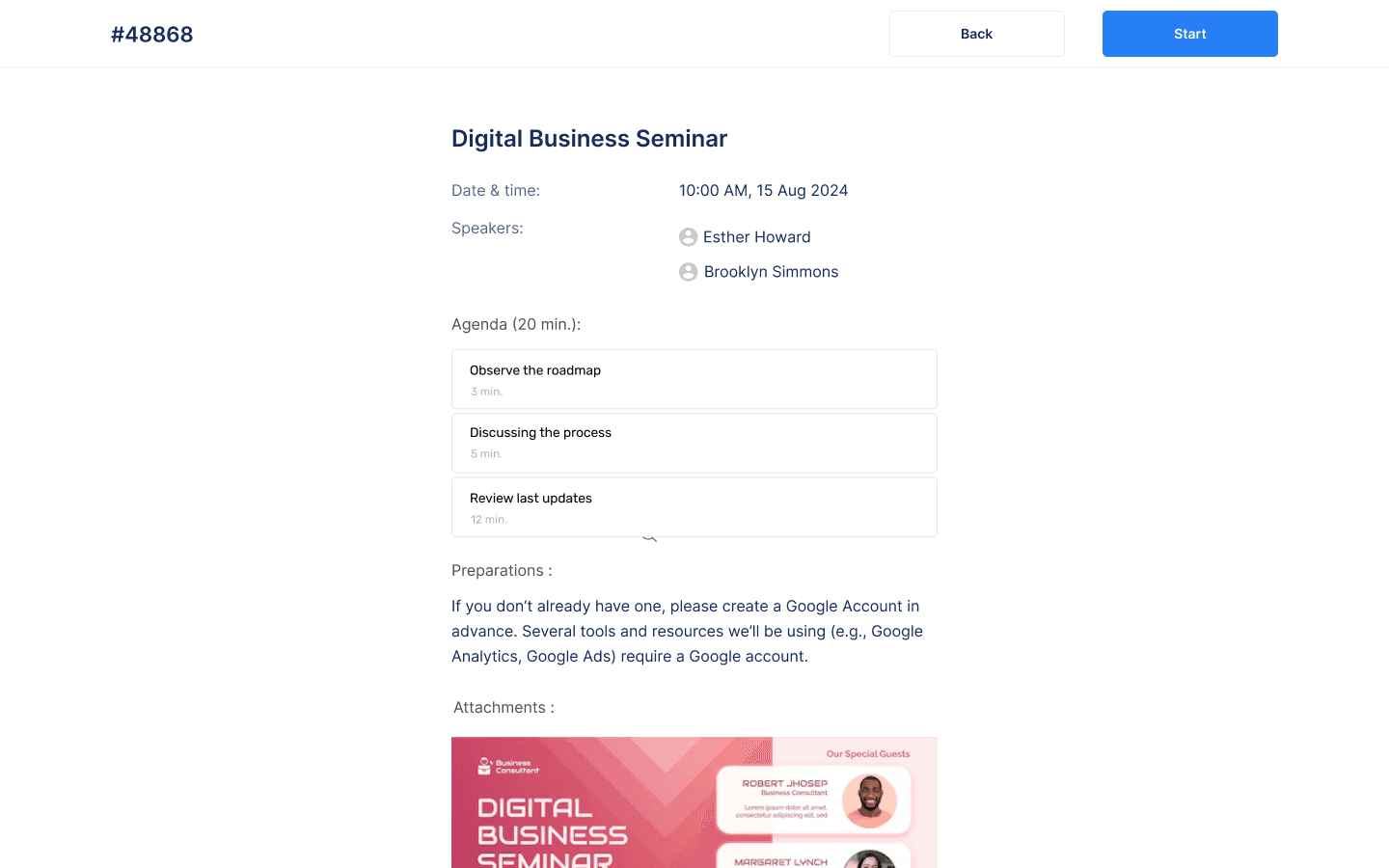
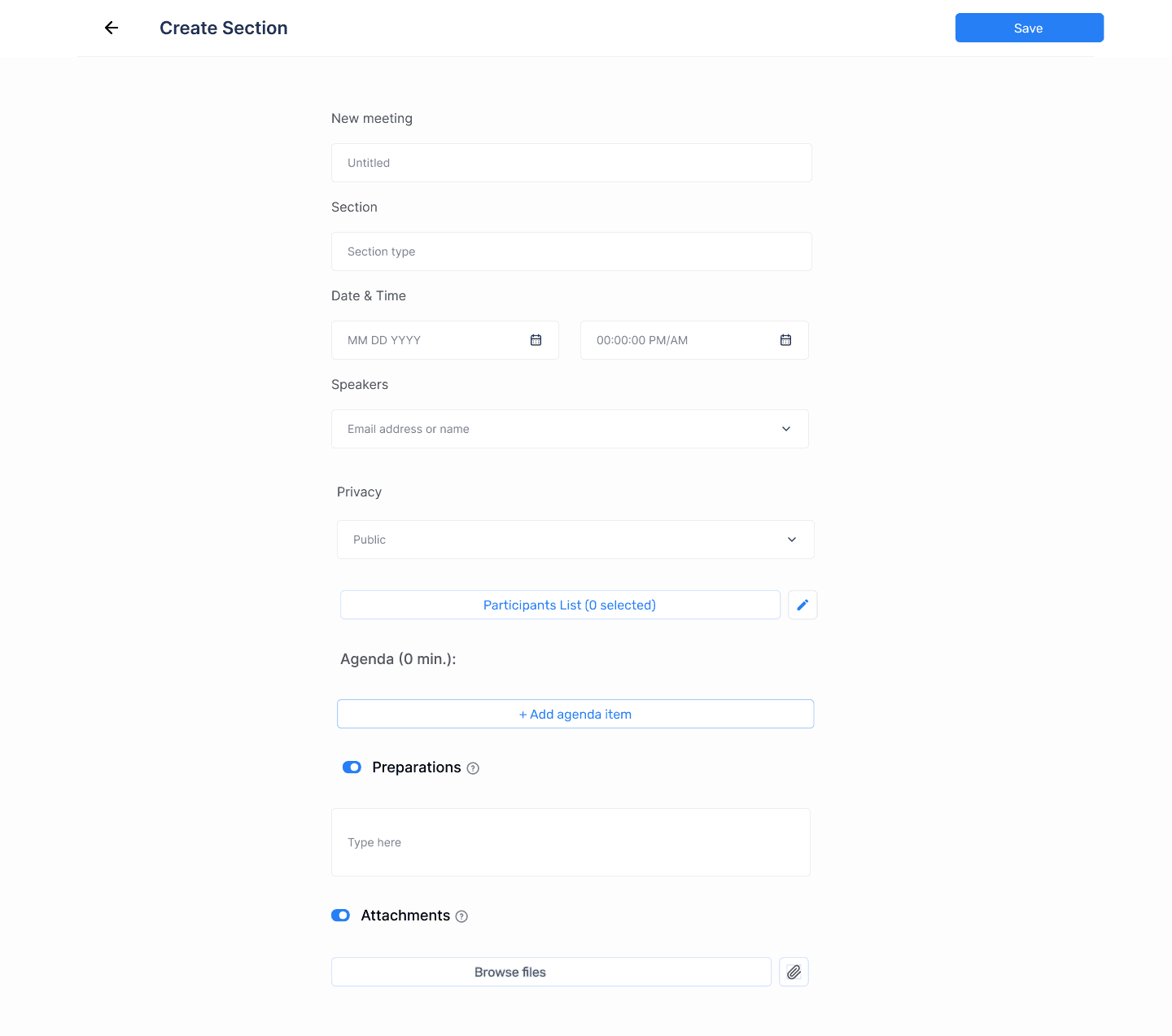
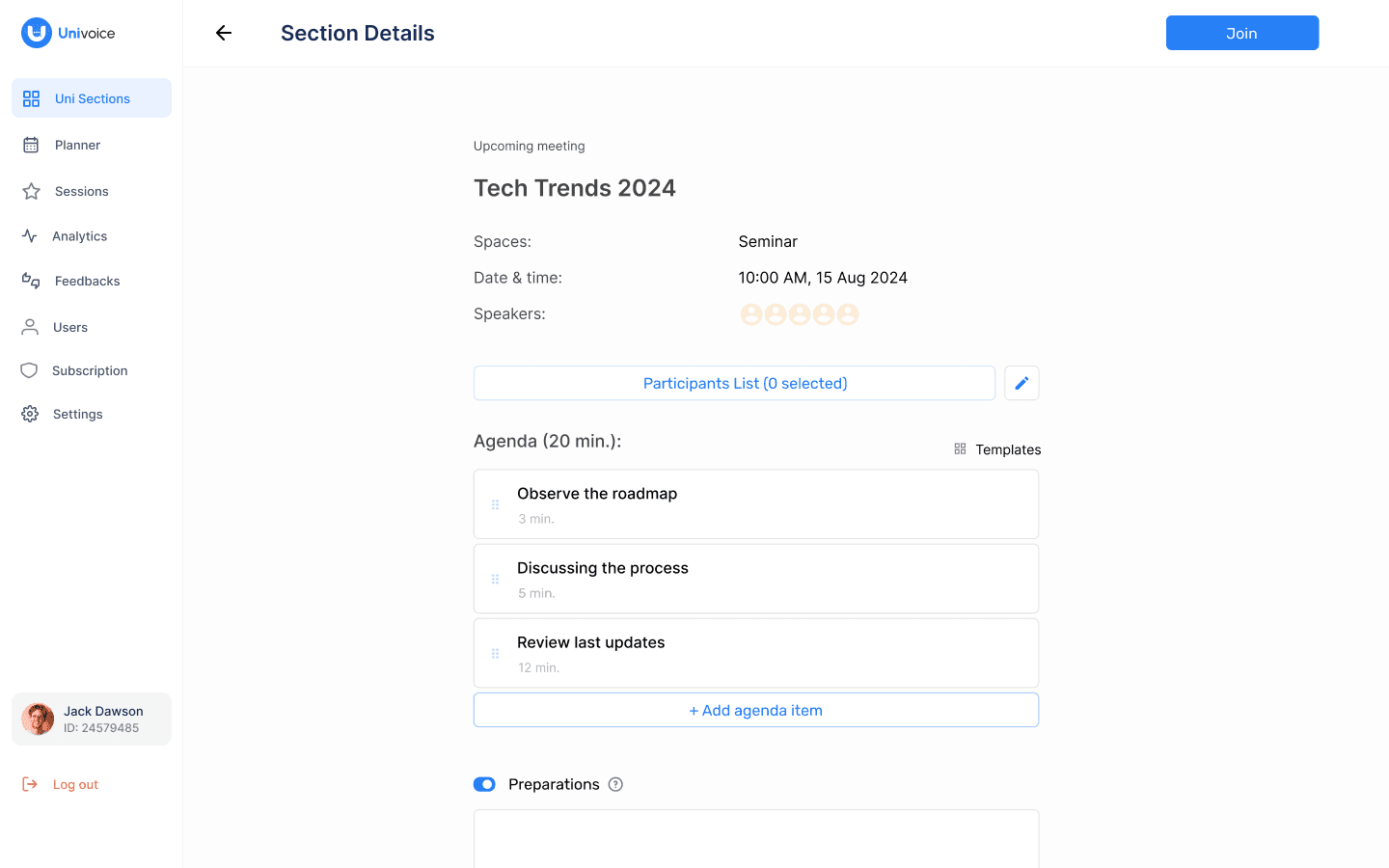
Fast session creation: Agenda, speakers, attachments in one screen
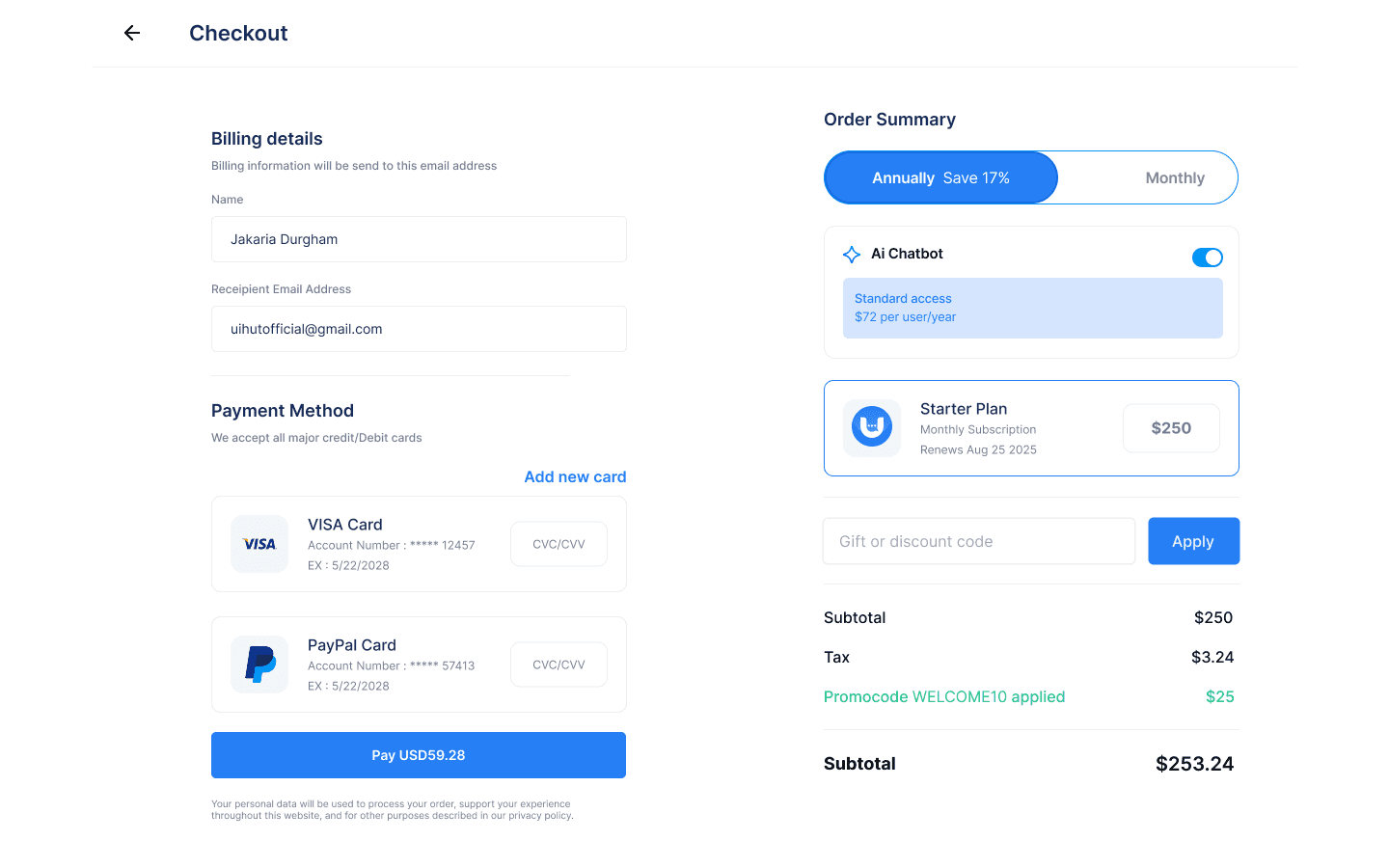
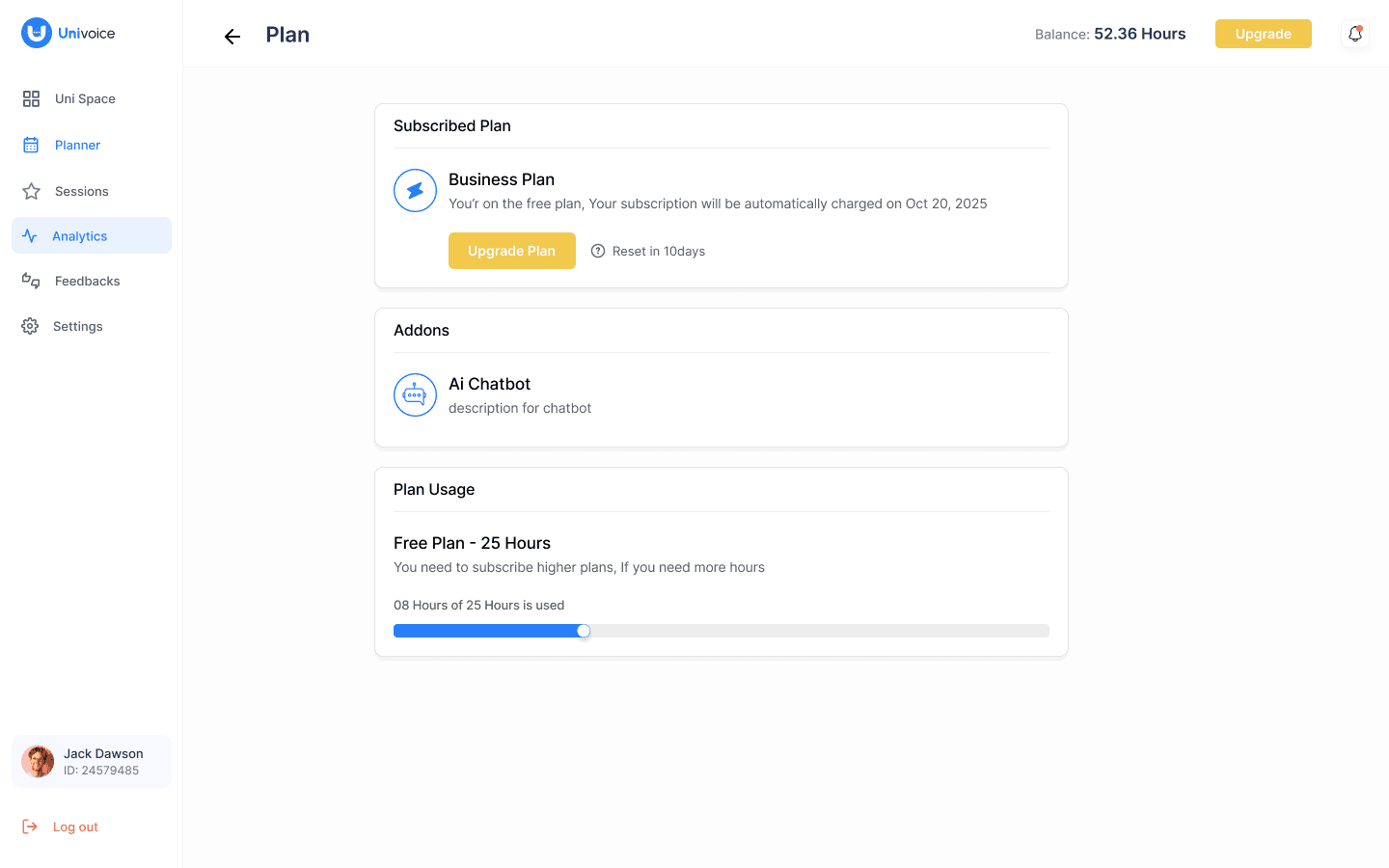
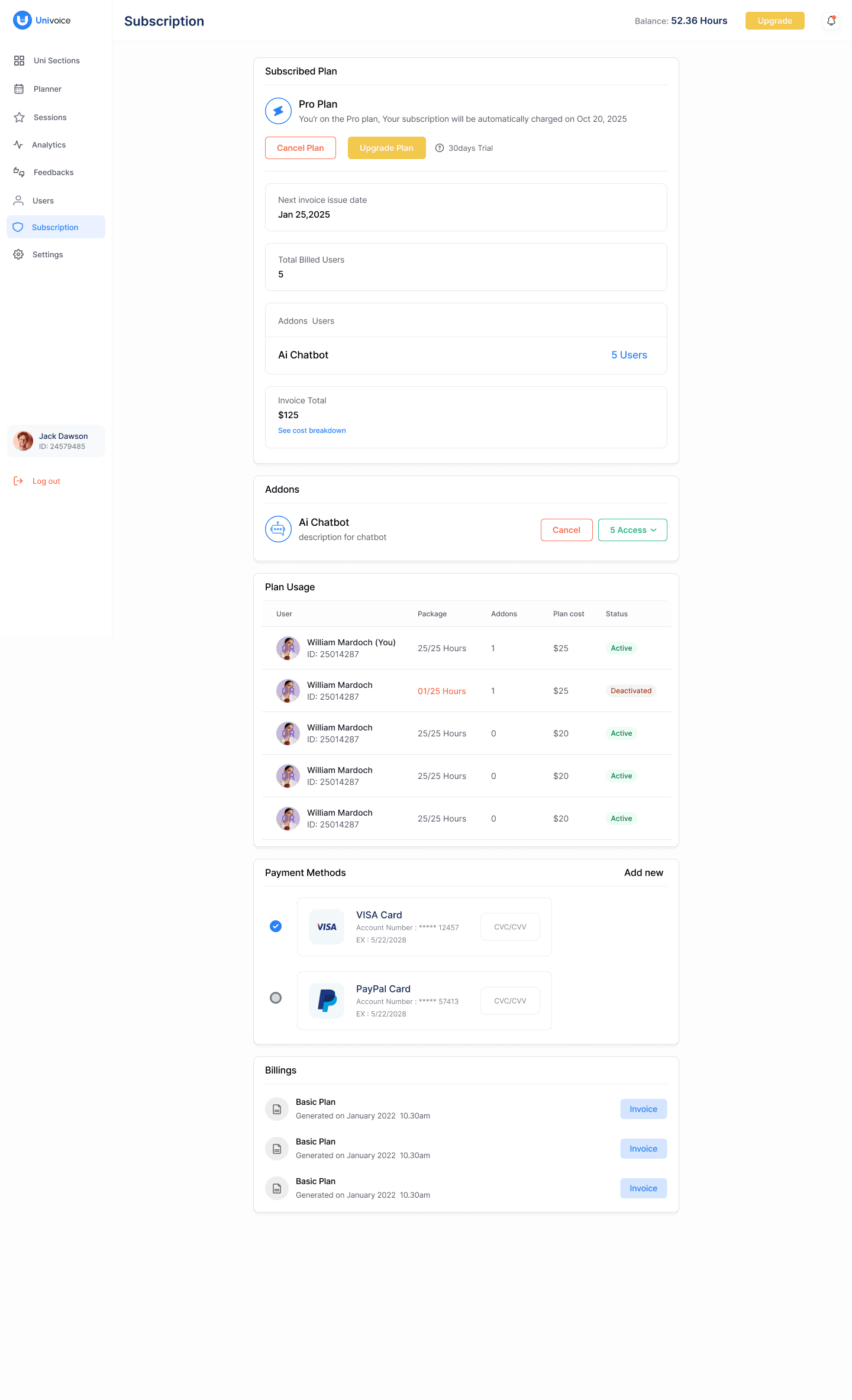
Enterprise billing: Usage tracking, user control, payment methods
Scalable user access control: Addons per user, toggles, roles
My Design Principles
Reduce cognitive load
Prioritize clarity + speed
Keep navigation predictable
Make translation readable
Build scalable, enterprise-ready components
AI assists, not distracts
Top UX Improvements I Made
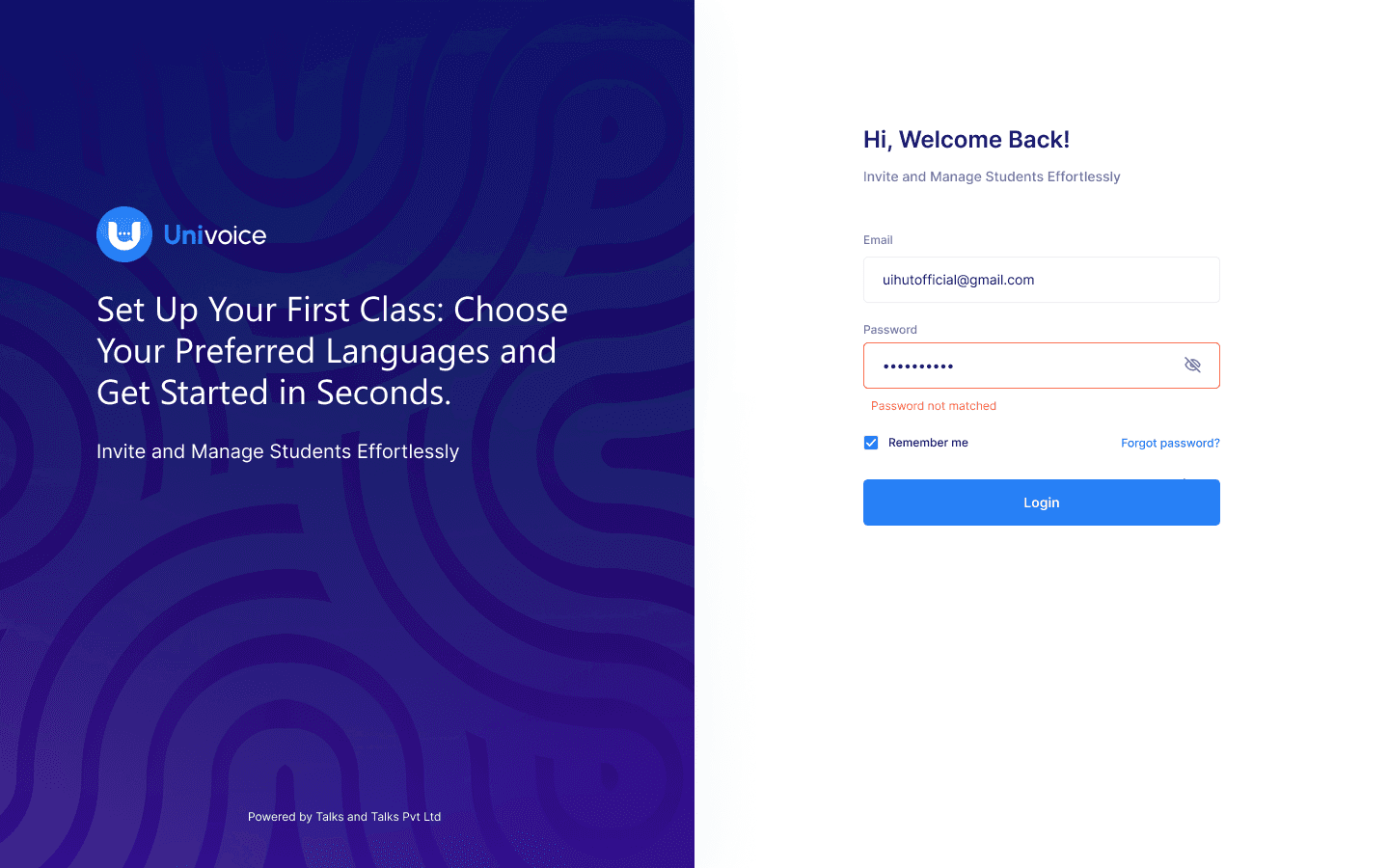
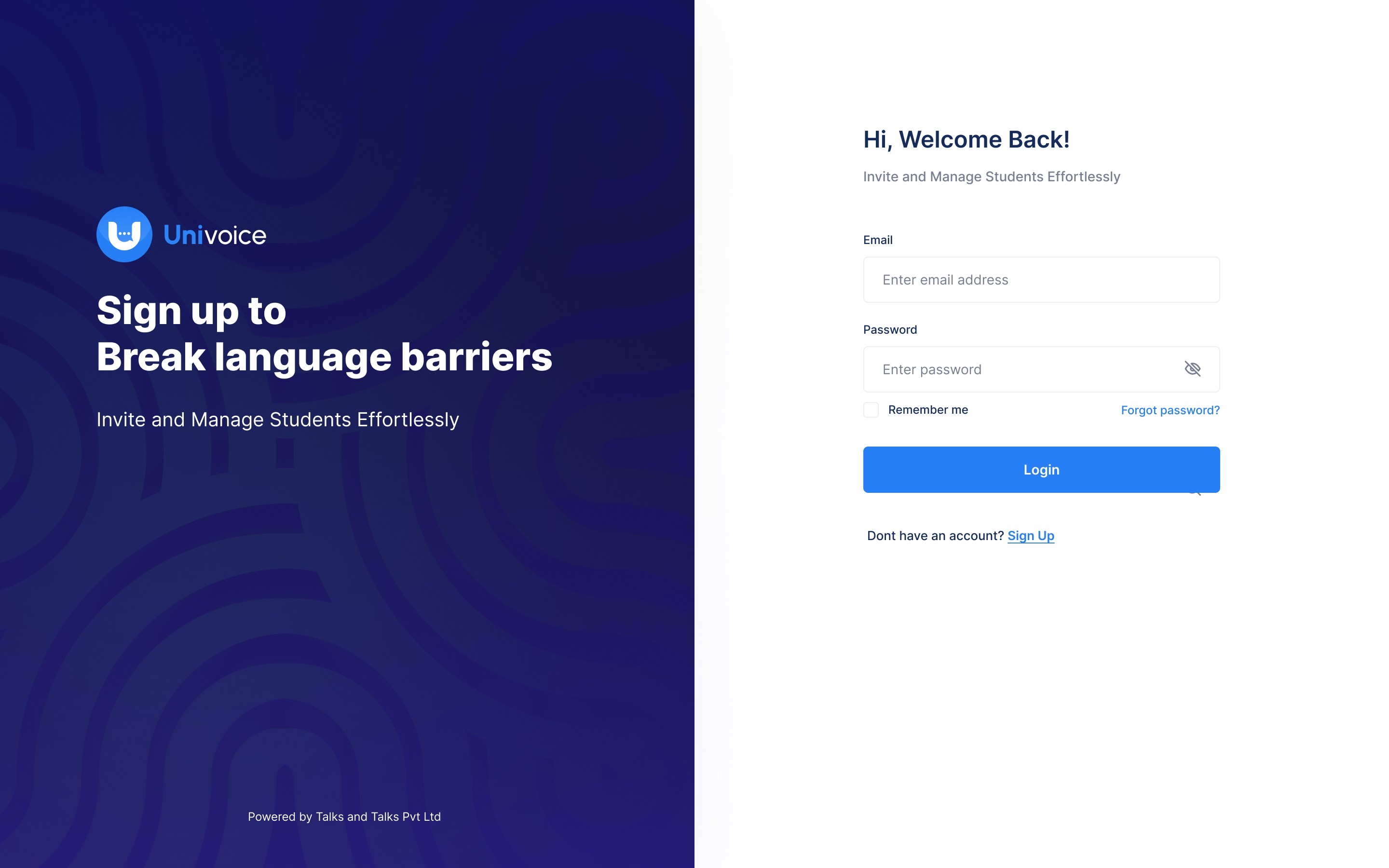
1. Login & Onboarding
Simplified layout
Clear error states
Fast OTP flow
Accessible microcopy
Student join flow under 8 seconds
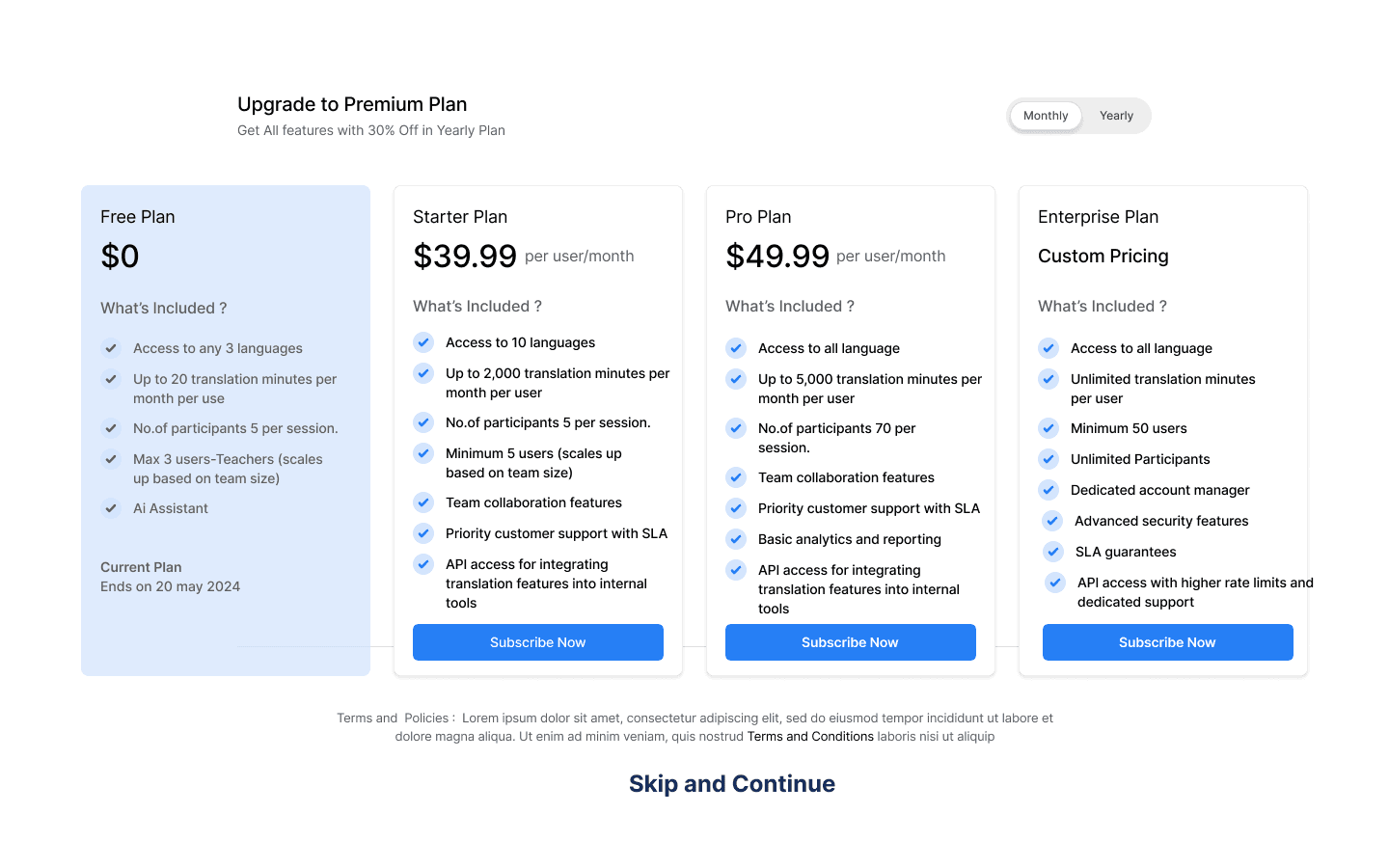
2. Pricing & Checkout
Compared plans side-by-side
Clear addons
Transparent billing summary
Clean payment UI
Fewer billing questions/confusion
3. Session Creation
One-page creation flow
Agenda builder
Speaker selector
Privacy settings
Attachments upload
Session creation time reduced by ~70%
4. Live Session (Most Critical UX Area)
High-readability transcript cards
Real-time updates
“View Original” toggle
Auto-scroll with pause
Clear timestamps
AI assistant minimized by default
Big microphone + mute controls
5. AI Assistant Panel
One-tap actions: Summarize, Explain
Quick prompt entry
Context-aware responses
Supports clarity without overwhelming
6. Subscription Management
Clear plan overview
Usage per user
Addon visibility
Payment method management
Invoice history + statuses
Access control modal (toggle who gets addons)
Results
Join flow cut to under few seconds
Teachers prepare sessions faster
Institutions get full billing transparency
Support load reduced with AI summaries/explanations
Process
1. Discovery & Problem Understanding
Identified barriers: language gaps, session complexity, scattered tools, unclear billing.
Observed teacher/student workflows to understand where delays and friction occur.
Benchmarked Zoom, Interprefy, Webex AI, Google Classroom for UX patterns.
2. Define & Prioritize
Mapped critical journeys for students, teachers, and admins.
Prioritized problems that impact speed and clarity:
→ Student join flow
→ Session creation
→ Live translation readability
→ AI assist usability
→ Billing transparency
3. Information Architecture
Structured Univoice around 4 scalable systems:
Sessions (create → share → host → recap)
Students (join → learn → AI assist)
Billing (plans → addons → payments)
User Access Control (roles → permissions → usage)
Reduced steps and built predictable navigation.
4. Wireframes & Flow Iteration
Explored multiple layouts for session creation, join flow, live room, and billing.
Simplified all high-friction tasks to one-screen flows.
Reduced cognitive load using clean grouping, consistent spacing, and minimal UI.
5. UI System & Visual Design
Created a high-readability UI system optimized for long-form content.
Designed scalable components: cards, tables, toggles, modals, feed blocks.
Ensured visual consistency for enterprise reliability and student clarity.
6. Usability Testing
Validated join flow with students → reduced join time < 10 seconds.
Tested session creation with teachers → reduced steps by 70%.
Adjusted live feed readability, AI assistant visibility, and error states.
7. Final Prototype & Refinement
Delivered a cohesive system covering:
→ Onboarding
→ Pricing & checkout
→ Creation tools
→ Real-time translation
→ AI assistant
→ Billing & access controlEnsured edge cases, accessibility, and visual polish across all flow
Summary
I designed Univoice to make multilingual learning effortless by combining instant joining, real-time translation, smart AI help, and enterprise-grade session & billing management—all with a clean, modern, scalable UX.