WORKROOM SAAS CRM
A modular Workspace to Manage Projects, Tasks, Teams & Internal Knowledge
Project Snapshot
Workroom is a cloud-based CRM and collaboration platform built for modern teams. The goal was to create a single workspace where companies can manage:
Projects & tasks
Team communication
Employee directory
Vacations & availability
Calendar events
Knowledge base (Info Portal)
Workload & performance insights
The entire platform was designed from scratch, focusing on clarity, collaboration, and operational efficiency.
The Core Problem
Growing companies often rely on separate tools for:
Project management
Communication
HR / vacation tracking
Document storage
Scheduling
Employee management
This fragmentation causes:
Loss of context between tasks and communication
Poor visibility for managers
Conflicting schedules & resource allocation issues
Slower onboarding for new employees
Duplicated data across systems
Lack of a central source of truth
Workroom needed to solve one major challenge:
How do we unify teamwork, planning, communication, and documentation into one simple, intuitive platform?
The Solution I Designed
I designed Workroom as a modular, end-to-end SaaS platform focused on workflow clarity and team alignment.
Key Components I Created
1. Dashboard
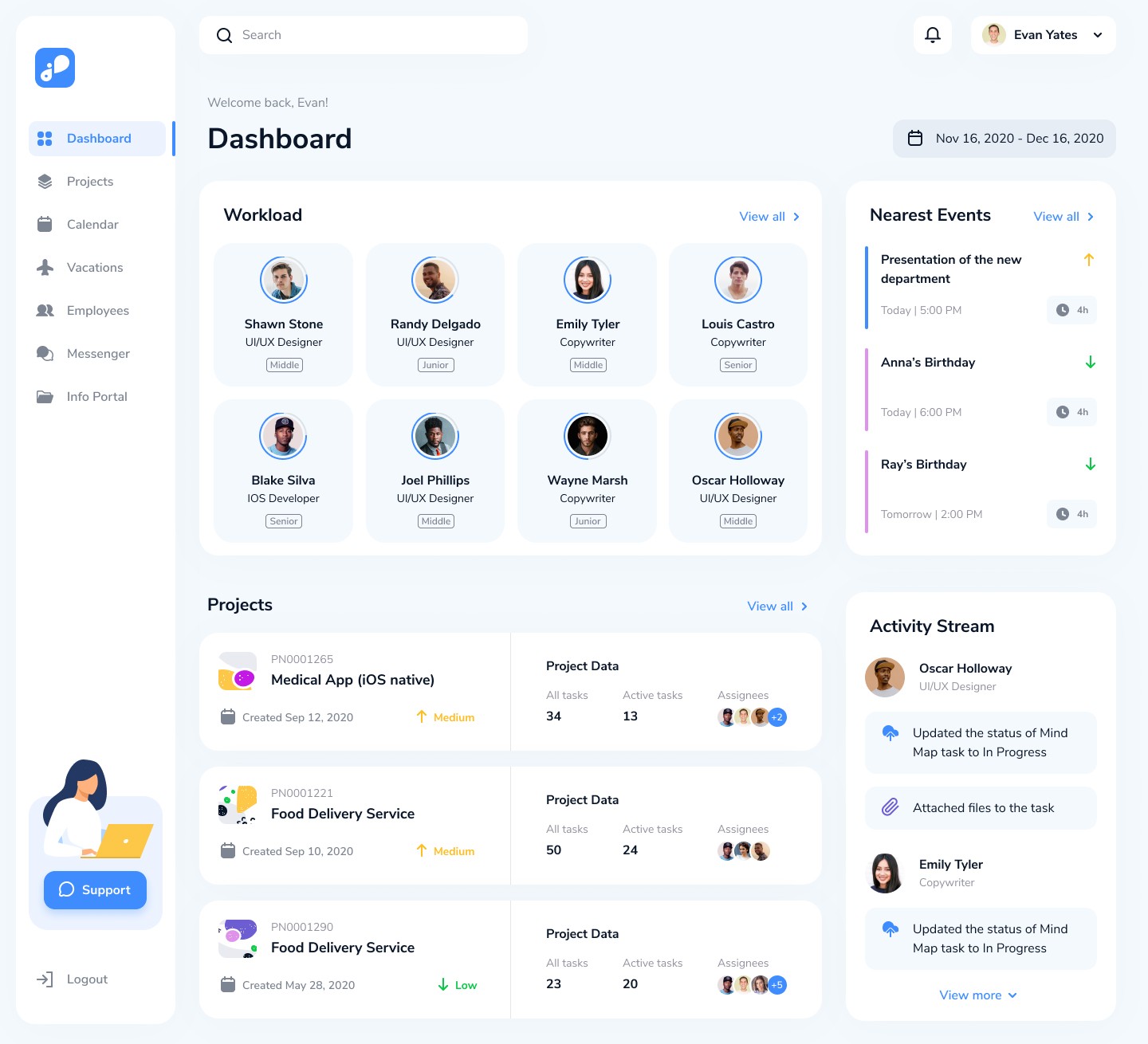
A manager’s command center showing workload, recent activity, and upcoming events.
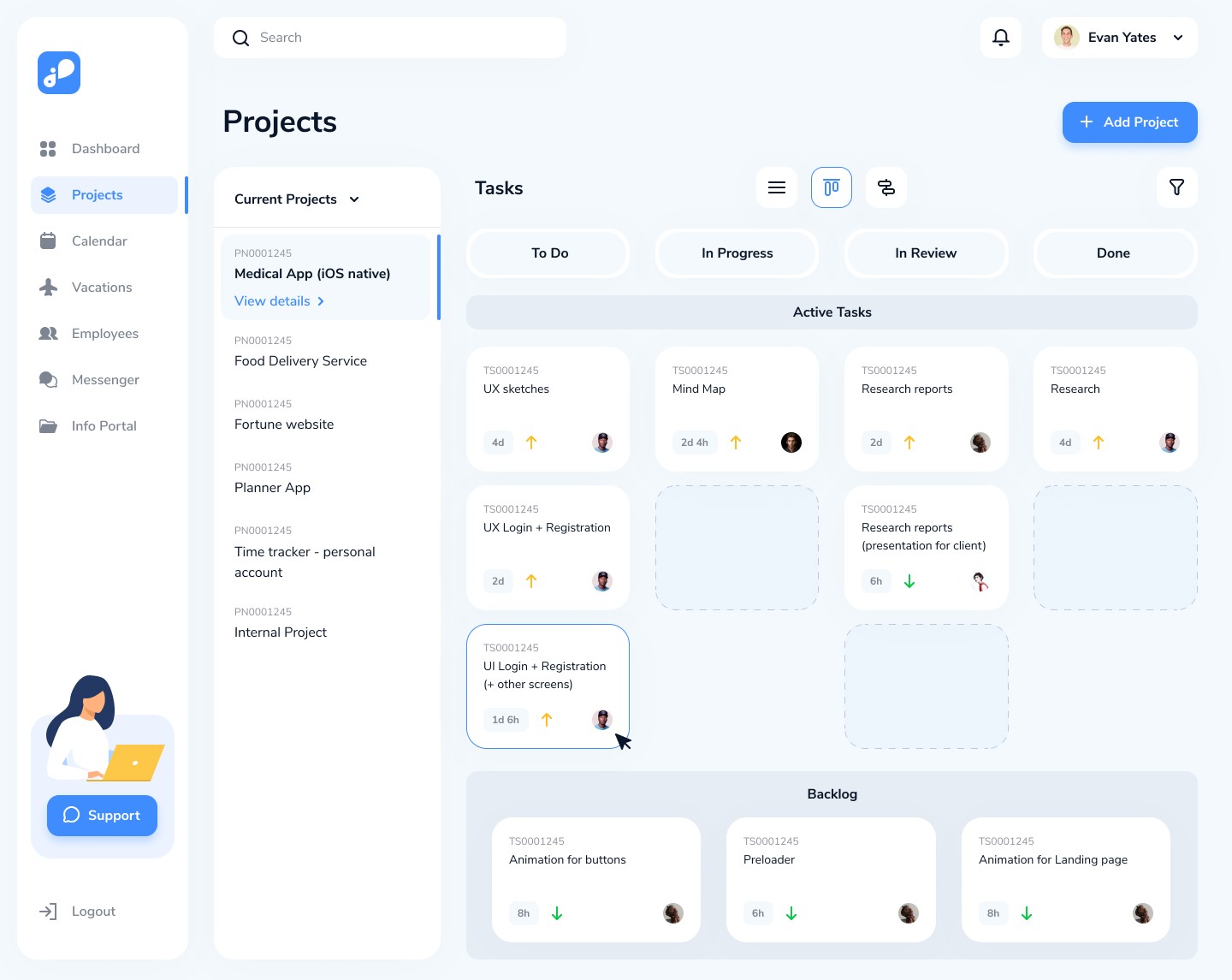
2. Projects Module
Project lists
Kanban board with drag-and-drop
Timeline (Gantt) planning
Task groups
Detailed project pages
Task detail view with attachments & time tracking
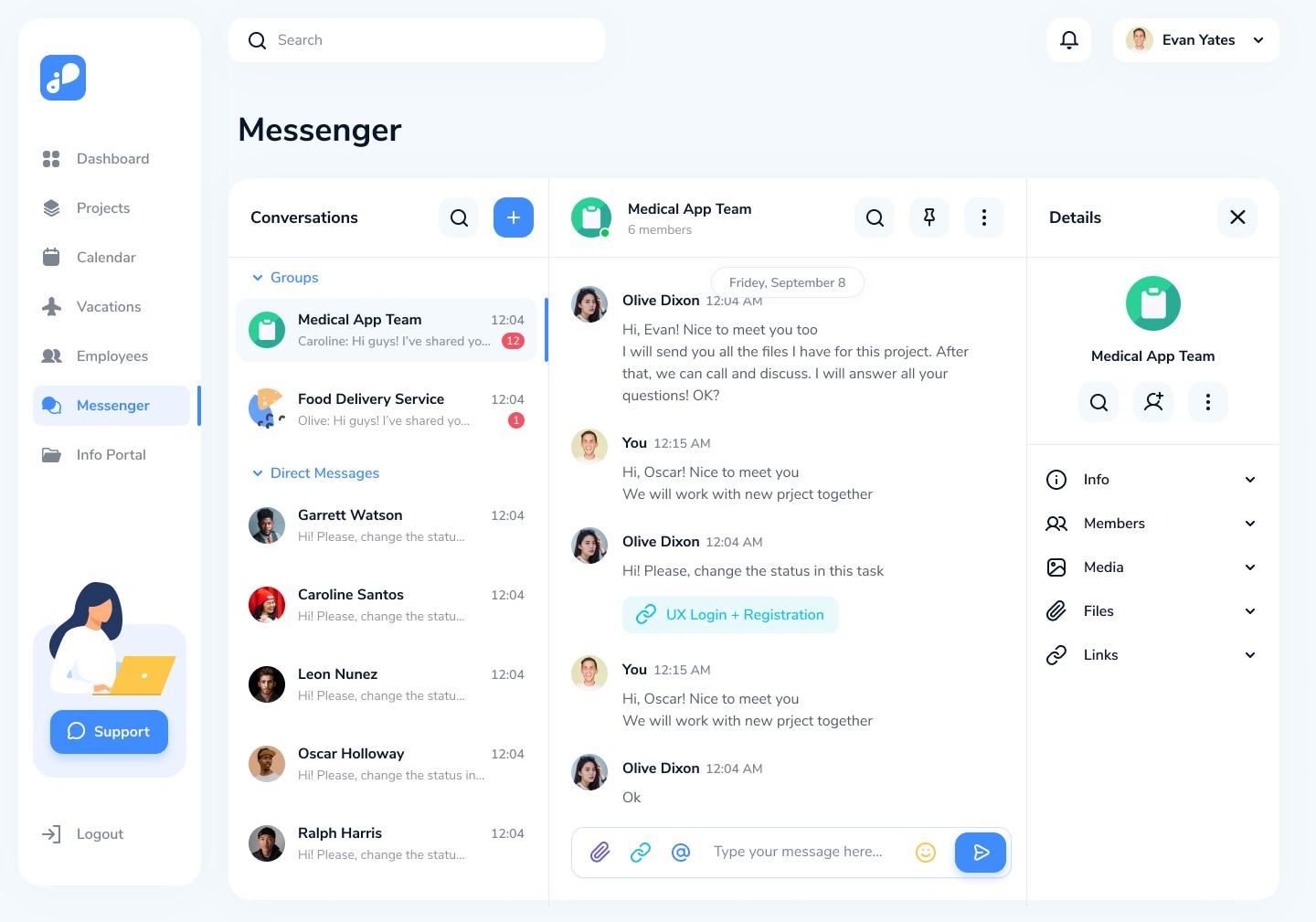
3. Messenger
Group & Direct chat
Task link previews
Media, files, links, and member management
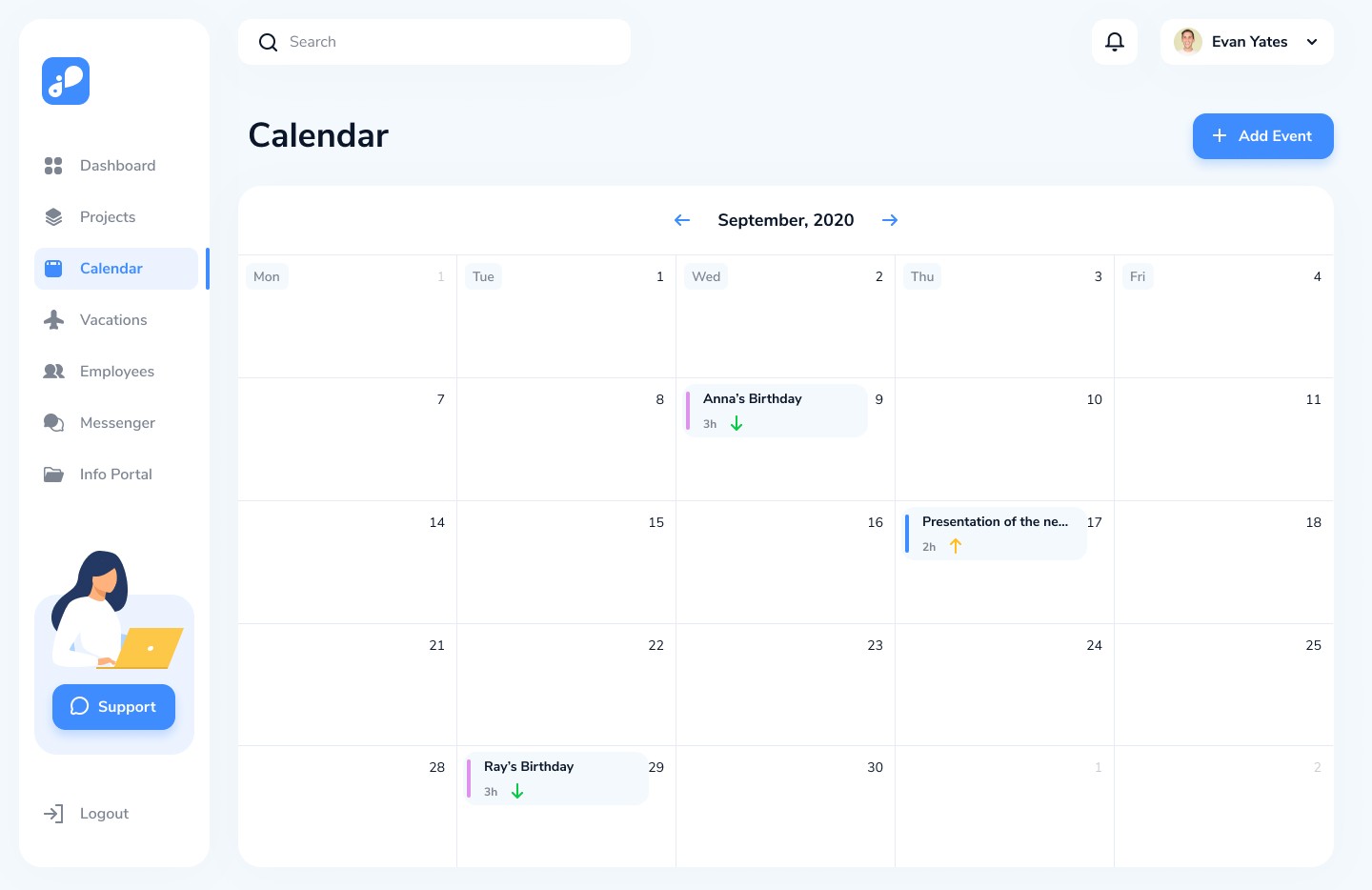
4. Calendar
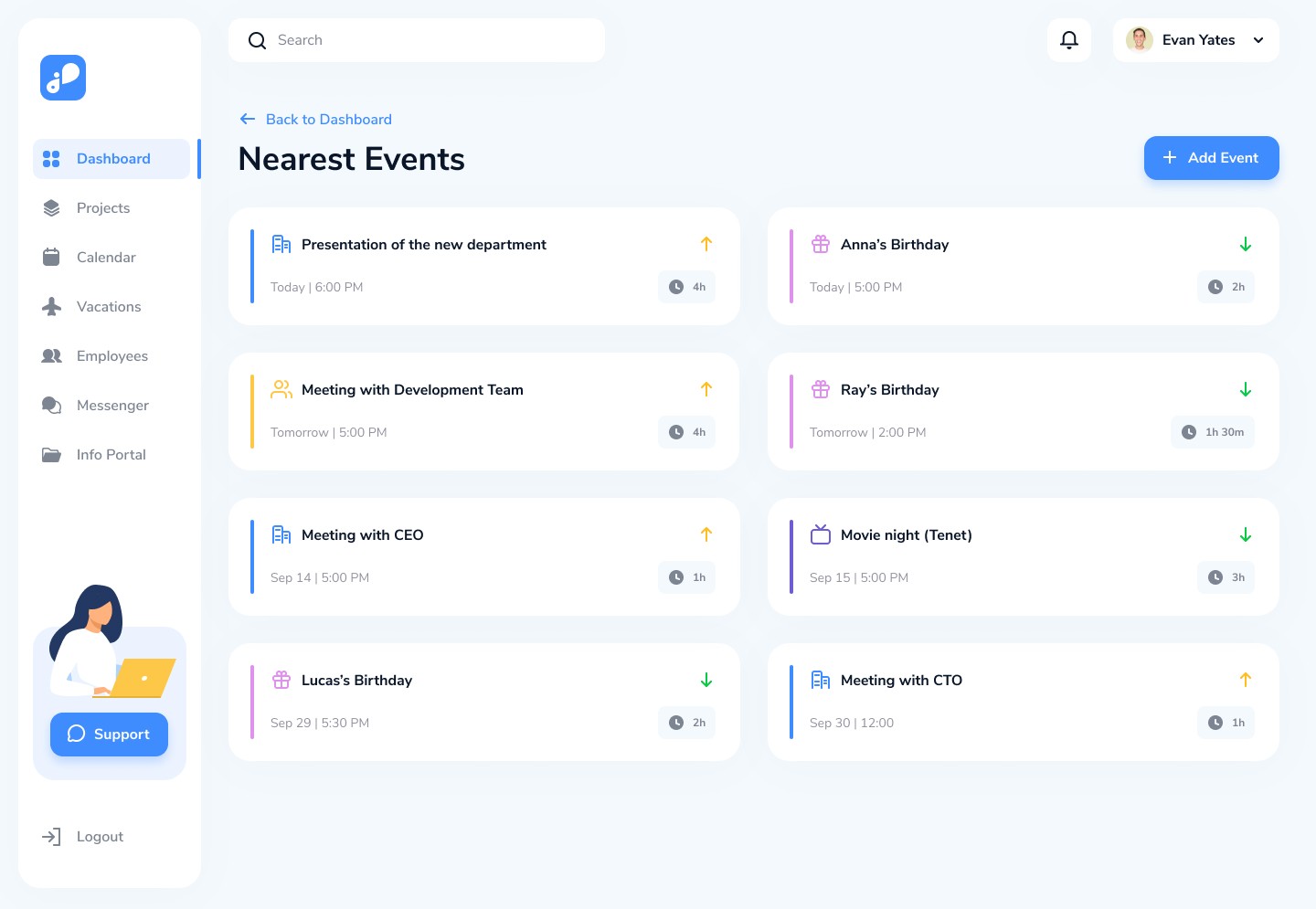
Monthly event view
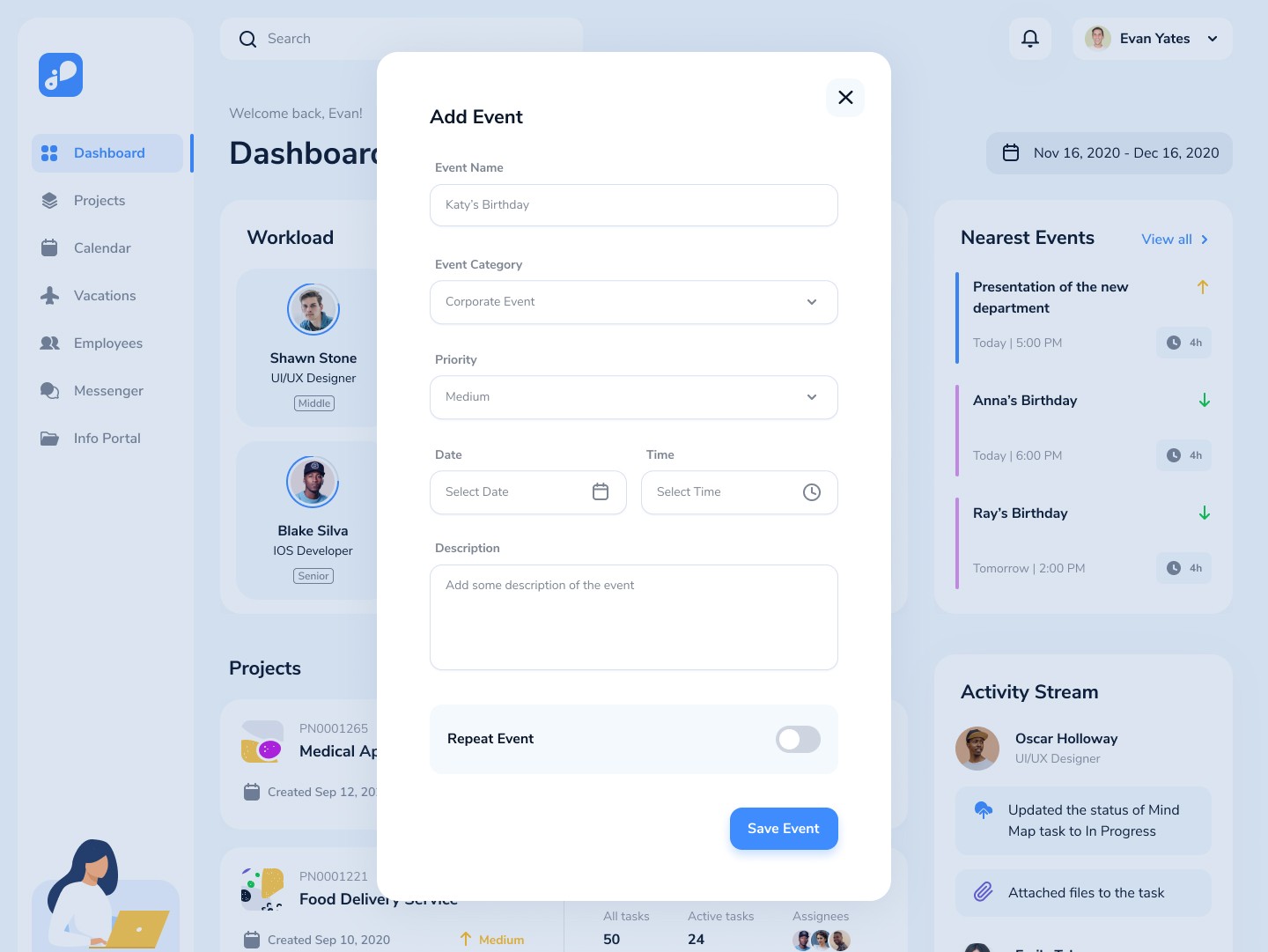
Quick add event modal
Priority tags & time indicators
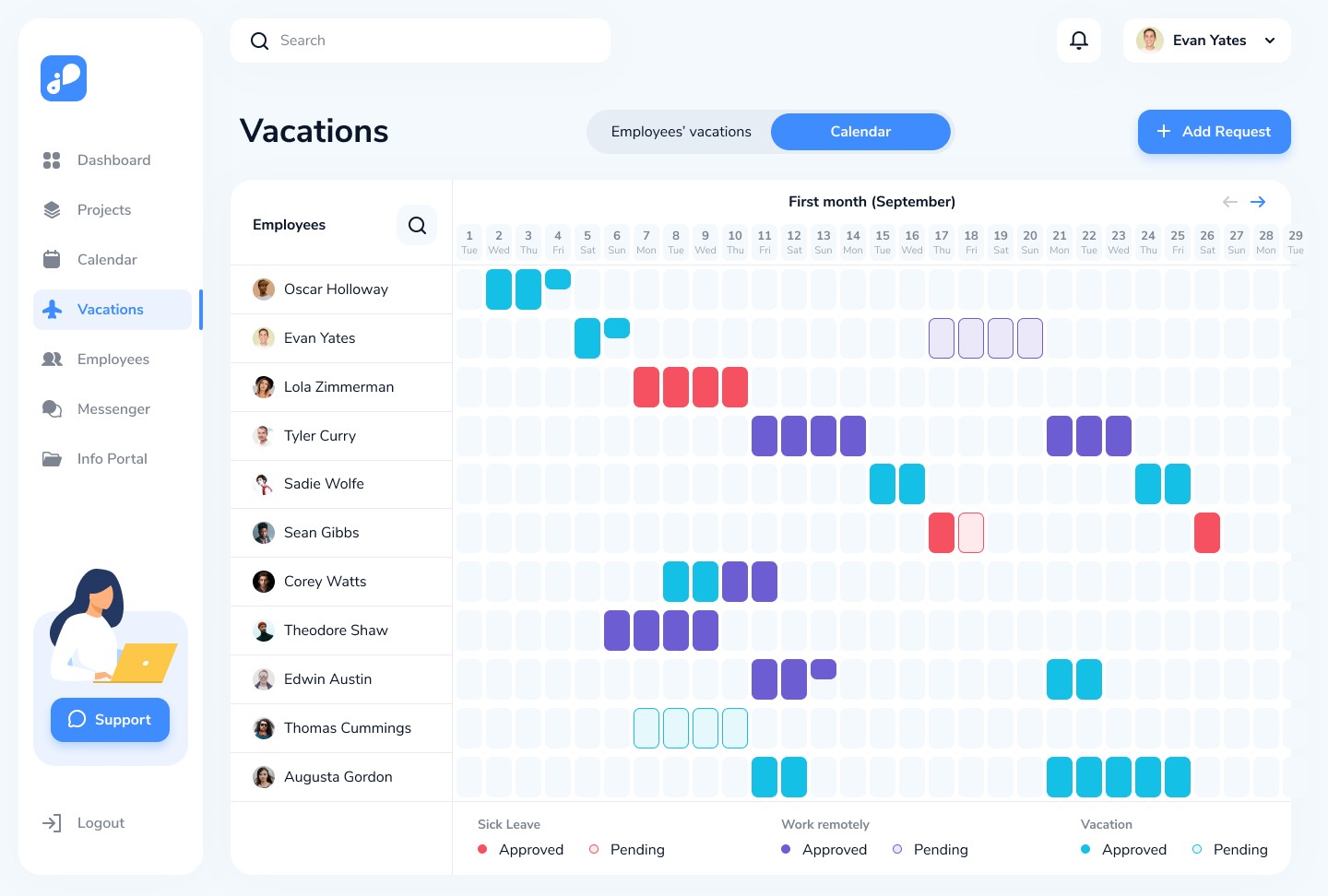
5. Vacations Module
Company-wide vacation calendar
Sick leave & remote work tracking
Leave requests & approvals
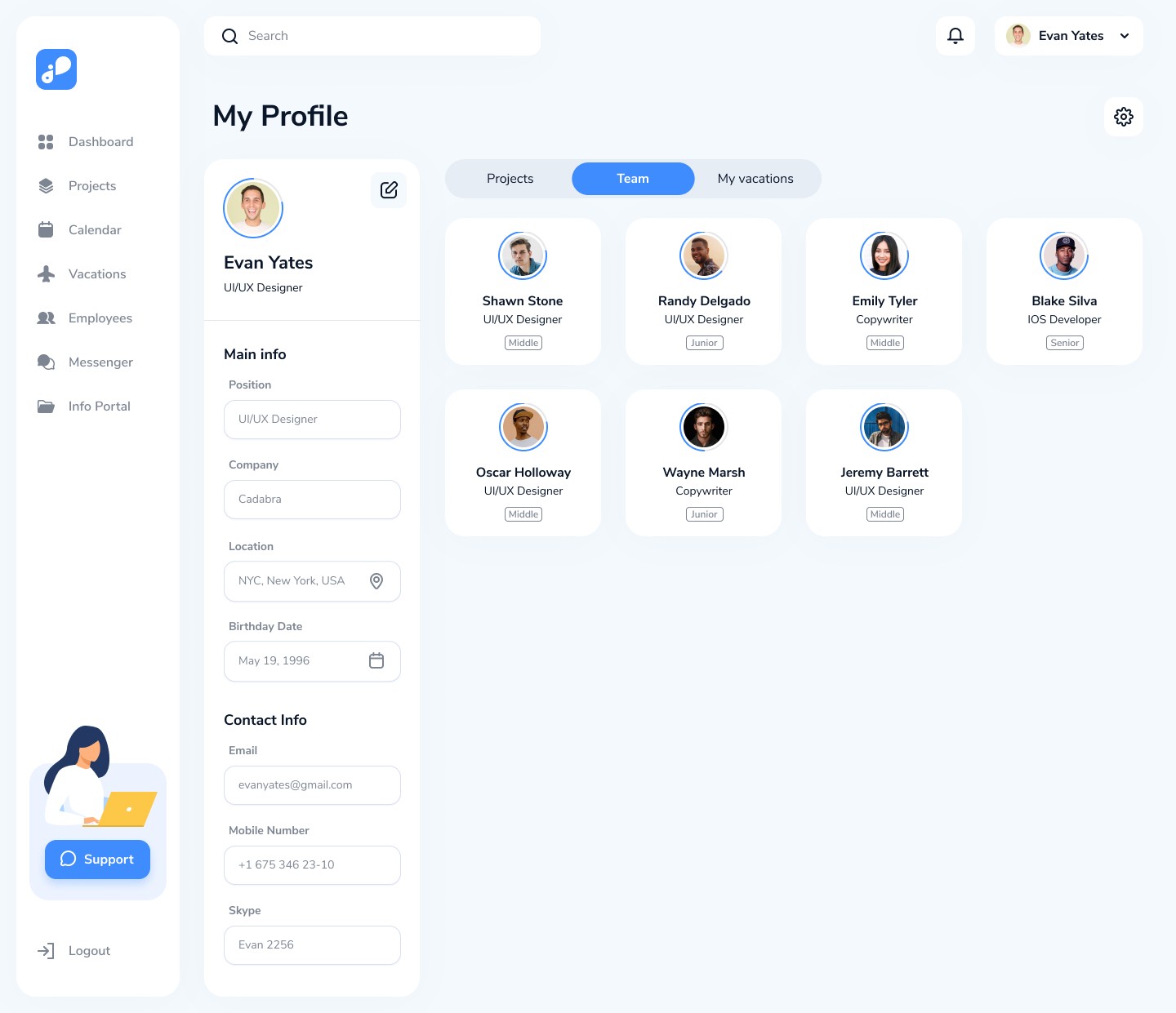
6. Employees Module
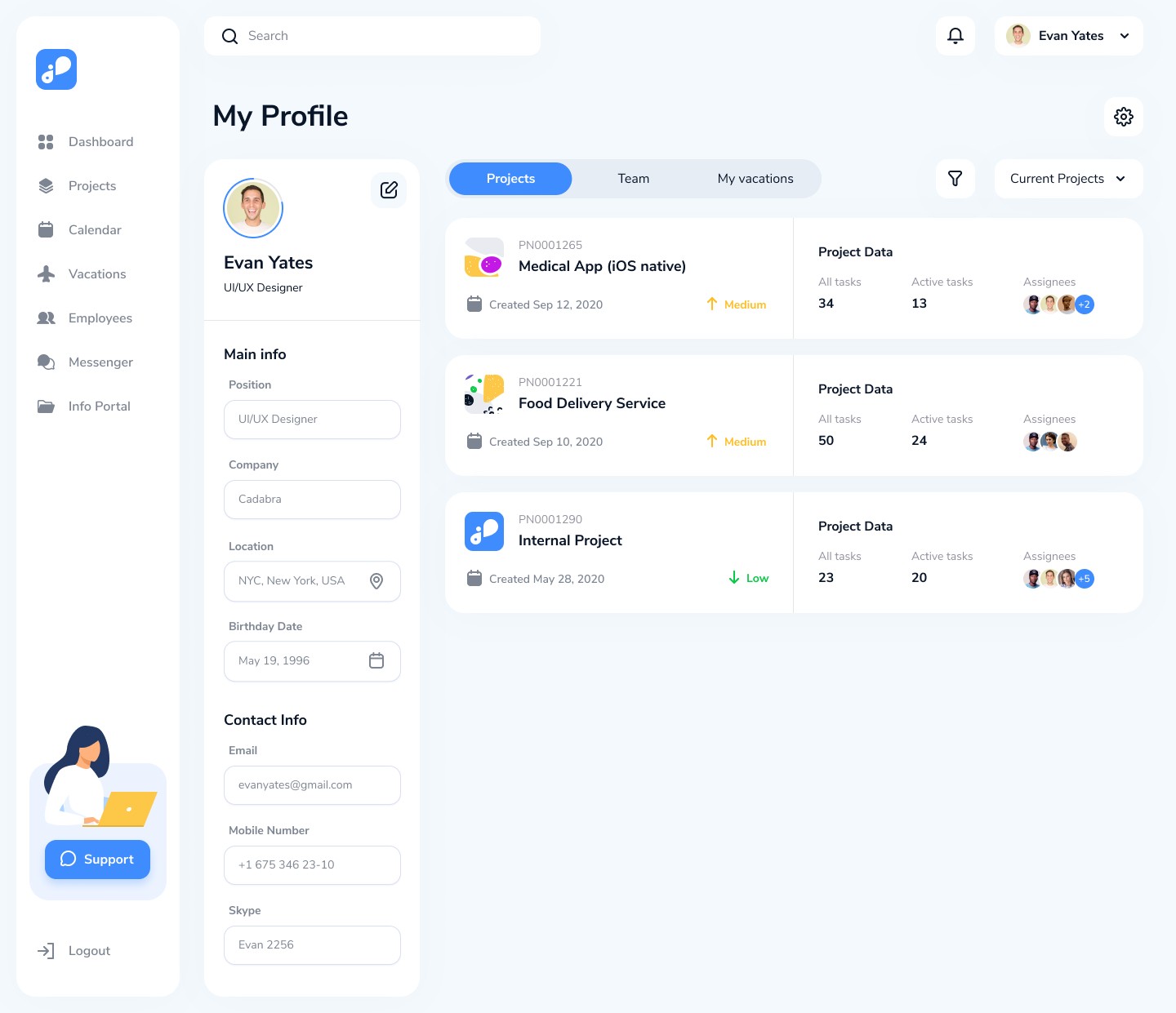
Employee list
Activity view (backlog, in-progress, review tasks)
Detailed employee profiles
7. Info Portal
A centralized internal knowledge base with folders and editable pages.
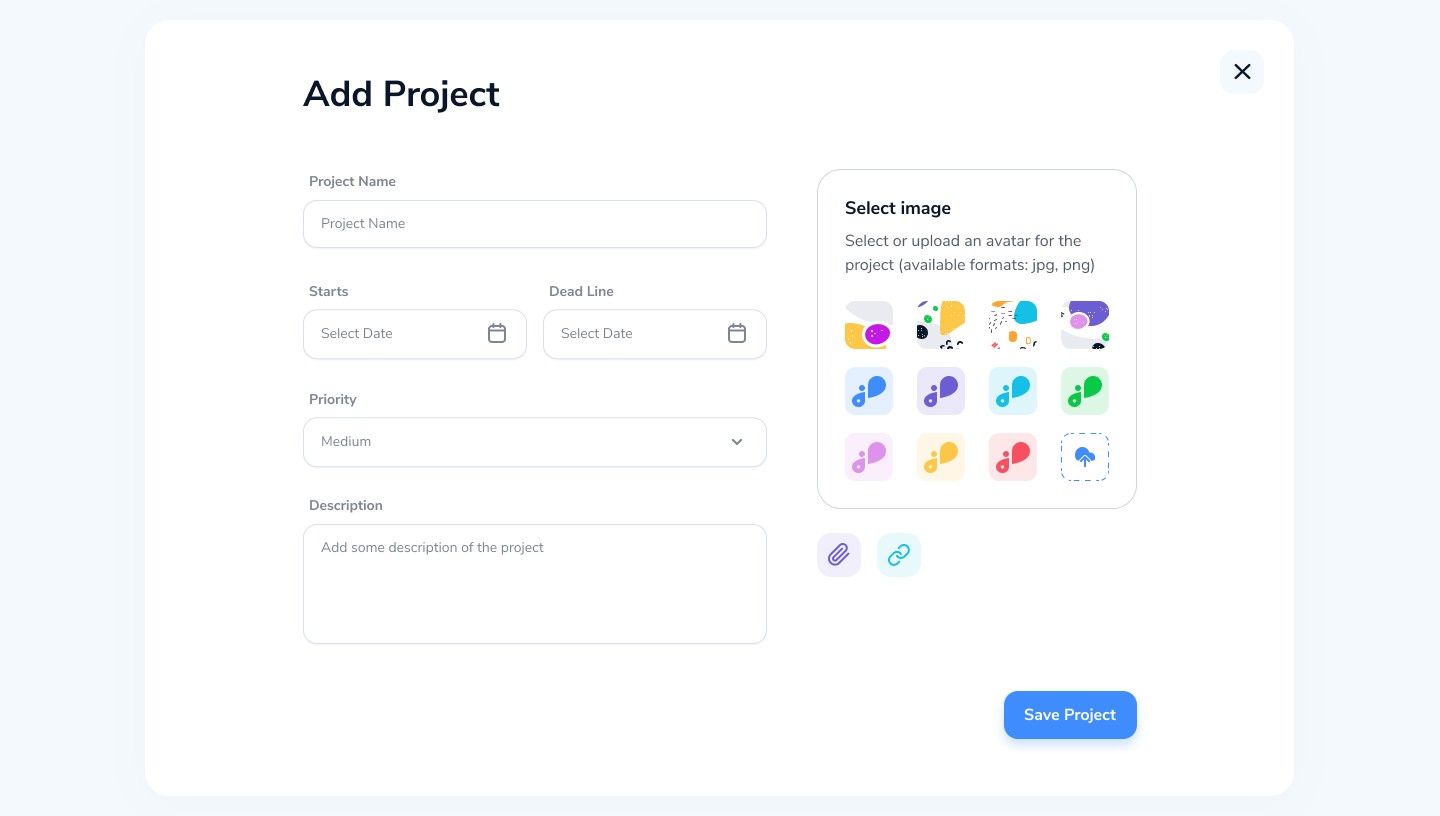
8. Universal Add Modals
For creating projects, events, tasks, vacations, etc., using a unified UI pattern.
Each module works together to create a frictionless workflow across planning, execution, and communication.
My Design Principles
1. Reduce Cognitive Load
Clear hierarchy, minimal UI, and predictable interactions across all Workroom modules.
2. Visibility Over Everything
Managers should instantly understand workload, progress, and schedules without deep navigation.
3. Modular Scalability
Every component functions as part of a consistent design system: cards, boards, filters, modals, timelines.
4. Collaborative by Default
Messenger integrates directly into tasks, projects, and the Info Portal.
5. Smooth, Human-Friendly Interactions
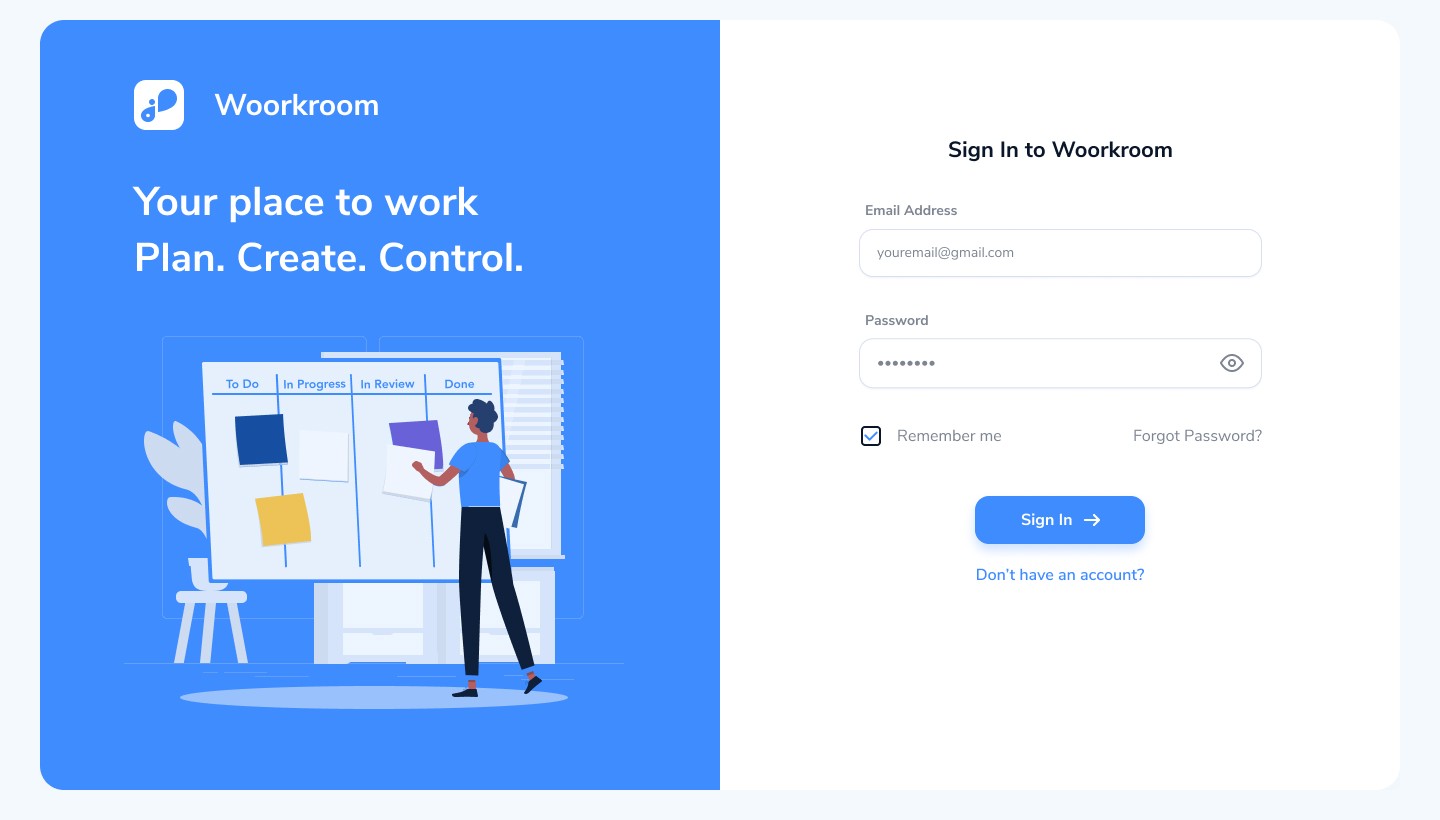
Soft colors, large spacing, intuitive animations, and simple states (To Do / In Progress / Review / Done).
6. Role-Friendly Navigation
Employees see a simplified view; PMs get detailed data and filtering capabilities.
Top UX Improvements I Made
Even though this is a new build, these were the key UX decisions that shaped Workroom into a high-performing product.
1. Built Three Ways to View Work
Users can choose the layout that matches their workflow:
List View
Kanban Board
Timeline (Gantt)
This flexibility supports project managers, designers, developers, and executives.
2. Drag-and-Drop Interactions
Task movement becomes effortless.
States become shortcuts:
To Do
In Progress
In Review
Done
The board updates instantly, reinforcing momentum.
3. Unified Sidebar Navigation
Consistent left navigation for:
Dashboard
Projects
Calendar
Vacations
Employees
Messenger
Info Portal
Improves onboarding and cuts navigation time.
4. Smart Filters for Projects
Right-side filter panel lets users refine tasks by:
Priority
Group
Assignee
Reporter
Estimate
Date range
Essential for large teams handling complex tasks.
5. Real-Time Collaboration
Messenger supports:
Inline task linking
Hover actions
File previews
Quick reply
Member info panel
Communication stays directly connected to workflows.
6. Company-Wide Visibility
Vacations calendar + employee workload give managers a complete picture for planning:
Who's available?
Who's overloaded?
Who’s on leave?
7. A Complete Knowledge Hub
Info Portal solves the document fragmentation problem by:
Organizing project documentation
Hosting editable internal pages
Allowing sharing & attachments
Teams finally have one source of truth.
Results
Faster Planning
Timeline and vacation calendar significantly improved resource planning accuracy and forecasting.
Reduced Operational Friction
Tasks, messages, files, employee data, and documentation exist within a single connected ecosystem, reducing tool-switching and fragmentation.
Higher Team Productivity
Drag-and-drop task management and integrated Messenger streamline workflows and increase completion speed.
Better Manager Control
Workload views and employee activity insights help managers make faster, data-driven decisions.
Faster Onboarding
New employees adapt quickly due to the platform’s clear information architecture, consistent patterns, and intuitive UI.
Stronger Documentation Culture
The Info Portal centralizes internal knowledge, making it easier for teams to create, access, and maintain important project information.
Summary
Workroom is a complete SaaS CRM and collaboration system designed to simplify how teams plan, communicate, and deliver work. By approaching the product from first principles, I created a platform that connects:
Projects
People
Processes
Knowledge
Communication
The result is a modern, intuitive, scalable workspace that supports both everyday tasks and long-term operational growth.